
LibreChat
A better local AI?

LibreChat is one of those open-source projects that feels understated until you use it. It’s an application for running your own AI assistant locally — with a modern web interface that looks familiar if you’ve used ChatGPT, but gives you full control over where your data lives and which models you connect to.
It can connect to a mix of backends — Ollama for local models, Bedrock or OpenAI for cloud ones — and you can move between them in the same chat window. The experience is surprisingly coherent. You can chat with a Llama model one minute, then swap to Claude or GPT the next, without needing to switch tools.
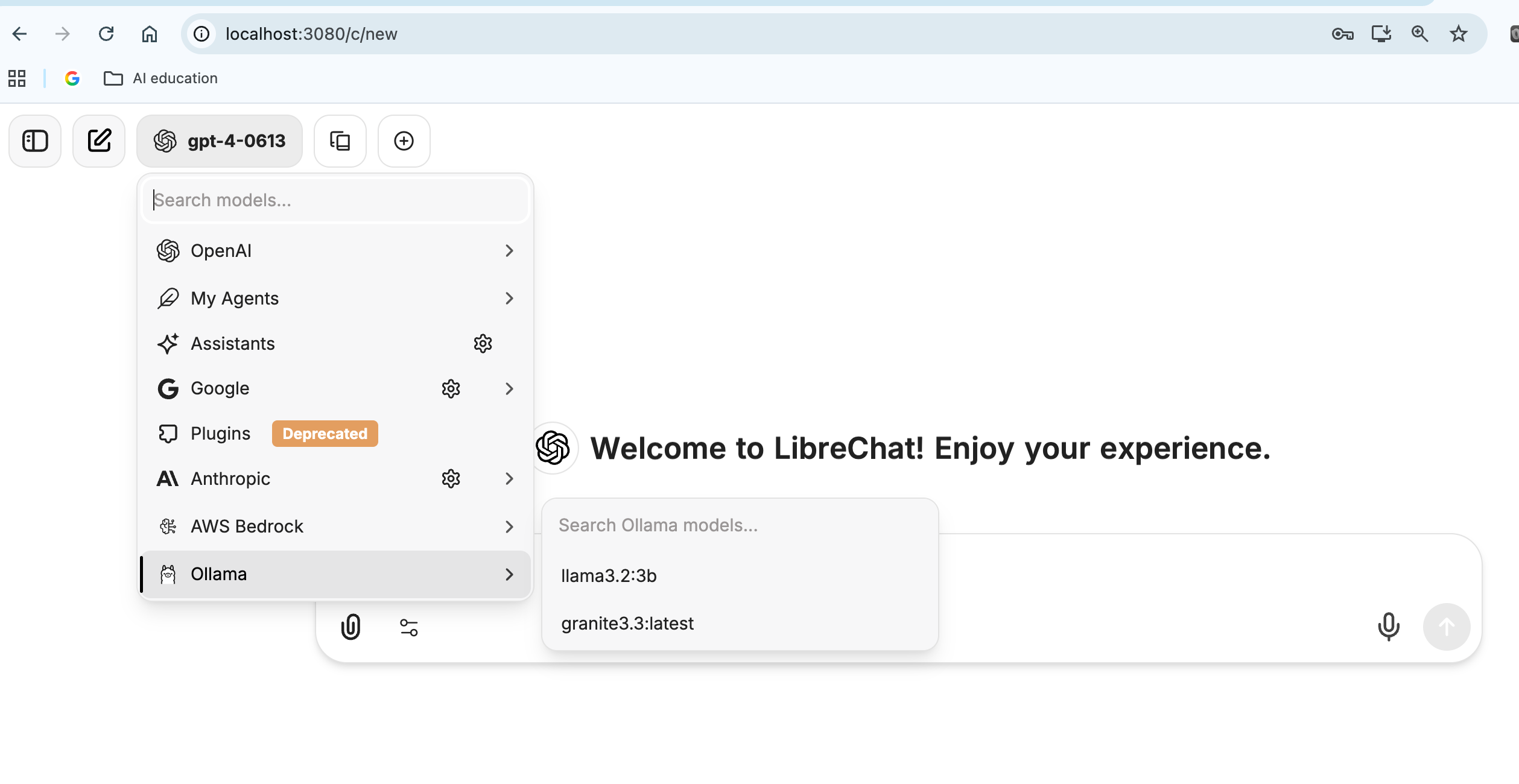
I won’t cover installation here — that part can be tricky depending on your setup — but the LibreChat site has active documentation and community guides for getting started. It’s worth the effort if you’re interested in local AI that behaves like a professional-grade chat interface rather than a command-line experiment.
What It Can Do
Once it’s running, LibreChat is a personal AI workspace. You can build multi-agent chats, connect knowledge bases or local documents, and give each conversation its own system prompt and behavior. For example, you might set up one chat as a creative assistant using a local model, and another for data analysis connected to an API key — all in the same dashboard.
There’s support for long-term memory, prompt templates, and visual customization through YAML configs. For more technical-minded folks, that means you can tinker with how your AI “thinks.” For non-technical users, it’s just a way to have a private AI that stays on your machine, not someone else’s servers… and I recommend using librechat itself to help you modify the yaml configuration files if you so desire!
The design also leans toward collaboration. Multiple models can coexist in one environment — local and cloud — so you can compare how different systems handle the same task. It’s surprisingly useful for understanding model behavior, bias, or tone.
Why It Matters
LibreChat sits at the intersection of two trends: privacy-focused and control. We’ve had years of AI tools that are open in name-mostly, cloud-only and sometimes misleading about what’s happening behind the scenes with their models; this brings transparency back. You can change things like the system prompt, the variables affecting output like ‘temperature’ and of course use specialized models such as IBM’s Granite, deep-seek (distilled) and others.
It’s not perfect — installation can take time, and you have to know how to use docker, navigate to ‘localhost:3050’ etc — but it’s a meaningful step toward user-owned AI. For educators, researchers, or anyone experimenting with private data, that matters!
I am still mostly loyal to OpenWebUI that I’ve written about before (OpenWebUI can connect to Bedrock Agents as well, something LibreChat can’t even with help), but there were some changes in the open source nature of OpenWebUI in the past year, and while the UI is powerful it’s not as appealing as Librechat’s.
If you’re interested in exploring it, start with librechat.ai. It takes some work to get running, but once you see your own AI responding in a browser window you control, it feels like the right direction for where this technology should go.
Your takes on local AI are alwayz spot on. LibreChat's data control is amazing!